
GNTECH Infrastructure Part 08: Cloudflare Zero Trust for Administrative Access
Build one controlled browser access path, test who is denied as carefully as who is allowed, and keep recovery independent of Cloudflare and your identity provider.
Build one controlled browser access path, test who is denied as carefully as who is allowed, and keep recovery independent of Cloudflare and your identity provider.

A staged, console-first tutorial for a Hetzner Proxmox host with two routed CHR transit networks and a separate NATed private VM LAN.
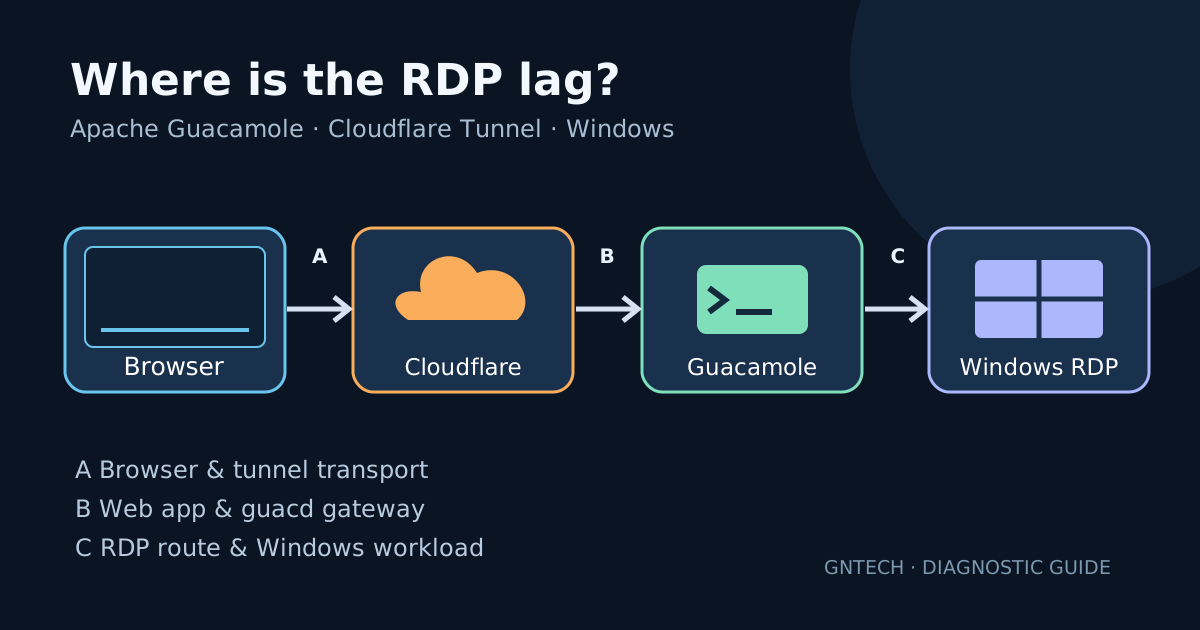
Trace browser-to-tunnel, Guacamole-to-guacd, and guacd-to-Windows paths before changing settings. Includes safe diagnostics and an A/B test worksheet.

A practical Linux deployment with a loopback-only origin, private administrator bootstrap, persistent data, and separate checks for the browser, agents, and remote sessions.
Run Cloudflare Tunnel in Docker to expose homelab services through Cloudflare’s edge. No open firewall ports, automatic HTTPS, and per-service ingress rules via a single cloudflared container.
Cloudflare Tunnel gives you a secure outbound-only connection from your homelab to Cloudflare’s edge, proxying public traffic without opening any firewall ports. No pinholes, no DMZ, no exposing your home IP. The usual deployment is a Docker container or a systemd service on a Linux box. But if you have a MikroTik router running RouterOS 7.6+ with container support, you can run cloudflared directly on the router — zero extra hardware, zero extra VMs. ...